Free Online PSD Converter & RAW to JPG Converter
Open any PSD file, see every layer, and batch convert PSD or RAW photos to JPG — right in your browser, nothing uploaded.
🔒 Files never uploaded⚡ No sign-up🆓 Free — batch up to 5 files
A free PSD converter on your device
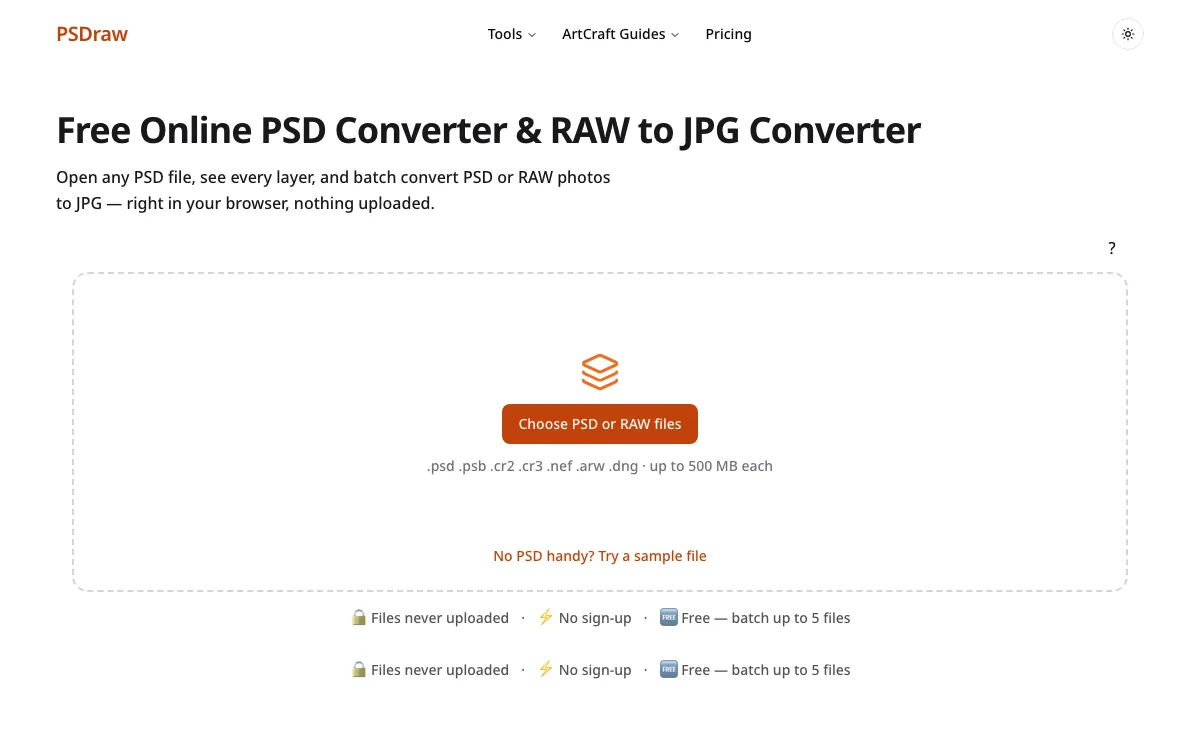
PSDraw is a free PSD converter that opens a PSD or PSB file in your browser and exports PNG or JPG without uploading the document. You can open a PSD online from a laptop or a phone, look through the layers, and download a picture you can send. An online PSD converter often means a website that stores the file on a server you do not control. Here the page is online and the file is not: the bytes stay in the tab you already have open. A PSD file converter that uploads first also makes you wait on the transfer before you see a single pixel. The wait here is only the time your own device needs to read the document. The free batch covers up to five files, and each file can be as large as 500 MB when the browser has enough memory. You do not create an account to try one file. PSB, the large-document cousin of PSD, uses the same path. The preview is there so you can confirm the result before you export, and the export is a normal download.
Free PSD tools
Pick the job you have. Each tool below is the same local PSD converter with a different default, so you do not guess a setting before you drop the file. The how-to sits with them if you would rather read first.
- PSD ViewerOpen the document, turn layers on and off, and read text layers. The viewer is the PSD converter with the preview first, for the moment you only need to look.
- PSD to PNGWrite a PNG that keeps transparent pixels at the full resolution of the file. Choose this when the artwork is a logo, a UI piece, or a cut-out that cannot sit on a flat color. The PSD converter keeps those transparent pixels instead of painting a box behind them.
- PSD to JPGFlatten the image to JPEG, pick a quality, and set a background color where the file was transparent. That is the practical choice for email and for most web pages. The PSD converter writes the JPEG on your device.
- RAW to JPGDrop a RAW photo on the box at the top of this page. RAW to JPG reads the JPEG the camera already saved inside the file, on this device, and labels that size. It is not a full-quality develop. It is the same PSD converter idea: the photo should not have to be uploaded first.
- How to Open a PSD FileFour free ways to open a PSD without Photoshop: in the browser, on Windows, on Mac, and on a phone. Start here if you are not ready to drop a file yet.
What do you need to do with your PSD file?
- Someone sent me a PSD and I don't have PhotoshopYou do not need a subscription to see what they sent. Open it in the viewer, check the layers, and export a picture you can reply with. A PSD converter on your own machine is enough for a review or a quick PNG. You keep their file, and they do not have to export it again.Open
- I need the images out of itDesign files often hide the pictures you need under type and shapes. Export the flat image, or save one layer, as a PNG. An online PSD converter is useful here because you can check the layer before you download it, instead of guessing from a filename.Open
- I need a JPG for the web or emailMany inboxes and older sites still want a JPEG. Choose a quality, paint a background behind transparent pixels, and download a smaller file. You keep the PSD. The JPG is only the copy you send, and you can make another if the first one is too soft or too heavy.Open
- I shot RAW and need JPGs of the whole shootA wedding or a product day can be dozens of large RAW photos. Upload sites make you wait on the transfer before you see a single JPG. Drop the photos on the box at the top of this page. That box reads the JPEG already saved inside each photo, on your device, and labels that size. It is not a full-quality develop.Open
How to convert a PSD file online
Step 1
Add your file
Use the button on the box above, or drop the document on the page. The PSD converter checks the file header, so a PNG that was renamed is rejected instead of being treated as a design. You can also open the sample if you do not have a PSD with you.
Step 2
Check the layers
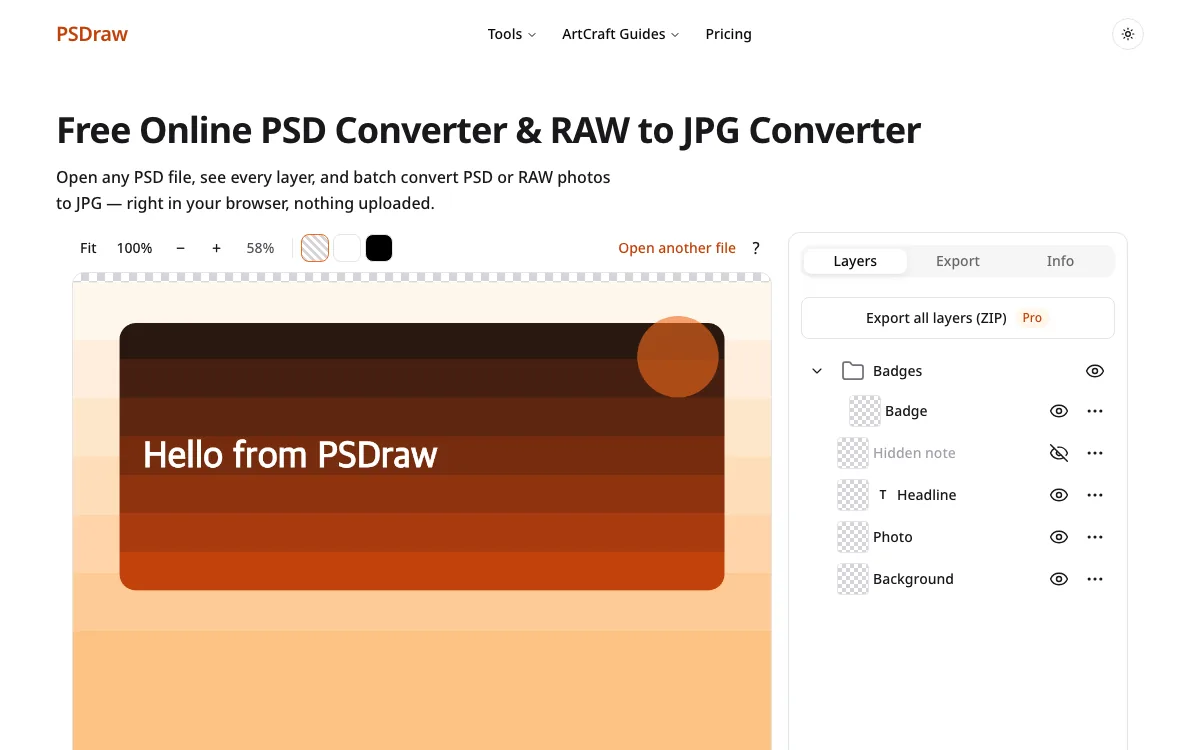
When the preview is ready, open the layer list. Hide a layer, read a text layer, and zoom in. Blending is simplified, so a glow or an unusual mode may not match Photoshop. That limit is written on the page. Stay in the PSD converter and check the layer before you export, instead of discovering a problem after a client has the file.
Step 3
Export PNG or JPG
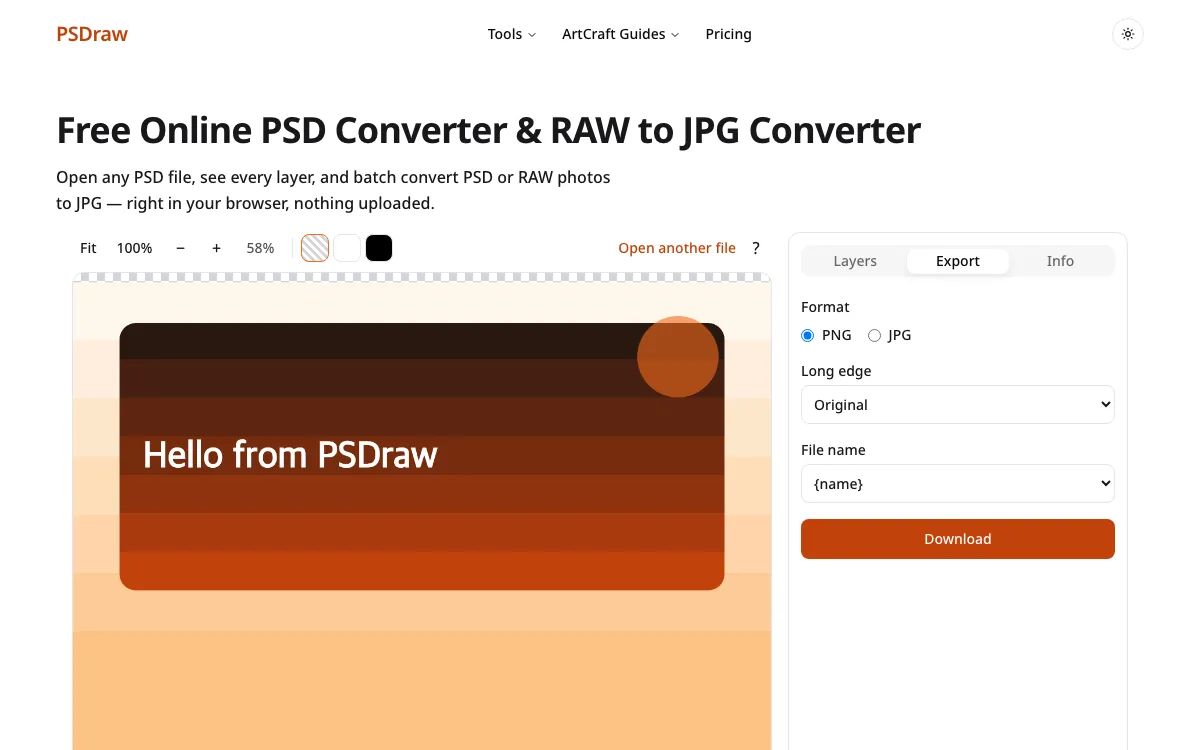
Pick PNG or JPG, then download. A free batch can convert up to five files and pack them in a ZIP. The PSD converter does the work in your browser. The download is the only copy the page helps you make, and closing the tab drops the document from memory.
Why use PSDraw as your PSD converter
People search for a PSD converter because they have a file and no time to install an editor. The difference that matters is where the file goes, not which logo sits in the corner of the page.
As of Oct 10, 2026
| PSDraw | Typical upload-based converters | |
|---|---|---|
| Files uploaded | No | Yes |
| See layers | Yes | Usually no |
| Free batch | up to 5 files | varies |
| Ads | None | Often |
| Sign-up | No | Sometimes |
Typical upload-based converters can be fine for a tiny file you do not care about. They are a poor fit for a client layout or a folder of photos, because the upload is the slow and private part. A PSD online workflow that never stores the document skips that step. PSDraw also skips the account wall and the ads that sit between you and the download. It is not a full editor. Effects and some blend modes can differ from the desktop app, and the preview says so. You still leave with a PNG or a JPG you chose yourself, at a size your browser could actually build.
Built with open-source tools
PSDraw is an independent tool. Not affiliated with Adobe Inc. or the ArtCraft Team. Photoshop and Lightroom are trademarks of Adobe Inc. The ArtCraft vs Adobe guide walks through the free apps in that family, in plain language, with the limits written down. The PhotoCraft page is a hands-on look at the Photoshop-style editor and what it can and cannot replace.
P1 uses ag-psd to read PSD and PSB files in the browser. The PSD converter you run here does not use PhotoCraft code, and it does not pretend those desktop apps are the engine behind the drop zone. Reading how those projects are built is useful context. The file you drop on this page is parsed locally, then discarded when you leave.
PSD converter FAQ
Is PSDraw a free PSD converter?
Yes. You can open a file, inspect layers, and export a PNG or JPG at no charge. A free batch covers up to five files. Larger batches are a paid option on the pricing page, and they are not required to convert a single file.
Are my PSD files uploaded?
No. The file is read in your browser. It is not sent to our servers, and we do not keep a copy after you close the tab. The download is created on the device you are using. A PSD converter that uploads the document cannot make that promise.
Do I need Photoshop to open a PSD file?
No. Photoshop is one way to open the format, not the only way. This site previews PSD and PSB files without installing it. The result can differ when a file relies on effects the preview does not reproduce.
Can I convert several PSD files at once?
Yes. Free use lets you convert up to five files in one batch and download a ZIP. A 24-hour pass or Pro Lifetime raises that cap to 50 files. The PSD converter still runs locally for those batches.
What is the file size limit?
Each file can be up to 500 MB. Very large pixel sizes can still fail when the browser cannot allocate an image that big. In that case you can download a half-size export instead of a broken full-size file. The cap is per file on this PSD converter.
Which browsers are supported?
Recent Chrome, Edge, Firefox, and Safari 16.4 or later. Update the browser if the page says it is unsupported. Phones can open a file too, with the same local processing and a layout that stacks instead of sitting side by side. Any of those browsers can run the PSD converter.
Is this online PSD converter private if nothing is uploaded?
The page is online. The file is not. Privacy here means the PSD stays in the browser tab, which is a different promise from a site that accepts an upload and emails you a link. Close the tab when you are done and the document goes with it.
If you need a PSD converter for a file someone sent you, start with the box at the top of this page. You will see the layers, export a PNG or a JPG, and keep the original on your device. For a RAW photo, that box reads the JPEG the camera already saved inside the file, on this device, and labels that size. It is not a full-quality develop. There is no account and no upload.